Sometimes the molecule you need isn't in any database: a fragment you want to grow, a variant of a ligand, or just a structure for teaching. The Design tab lets you draw it directly in 3D, one click per atom. In this walkthrough we draw glycine, the smallest amino acid, and then give it the charges it carries in water.
1. Pick a tool
Open ProKyria and go to the Design tab in the side panel. The Draw section starts with Erase, then a chip for each common element (more under Other). Click an element and you're drawing it:
- click empty space to place an atom: just beside an atom it bonds to it, away from everything it starts a new molecule (a molecule is whatever is bonded together);
- click an atom of another element to replace it, or one of the same element to grow a new one from it;
- click a bond to make it double, then triple, then single again.
With Erase, click an atom to delete it. There's nothing to set for bonds or charges: atoms bond when they come close enough, and charges follow from the bonds. Click the chip again or press Esc to stop drawing. Every click is one undo step.
2. Draw the skeleton
With carbon chosen, click anywhere in the empty 3D view. That's glycine's α carbon, and the view moves in close to it. Now choose nitrogen and click just beside the carbon: a nitrogen appears, bonded to it at the right distance. Choose carbon again and click the α carbon itself: a carbon on a carbon grows a new one, the carboxyl carbon.
For the carboxyl group, choose oxygen and click beside the carboxyl carbon twice, once for each oxygen. Then click the stick between the carbon and the first oxygen: that bond becomes double.
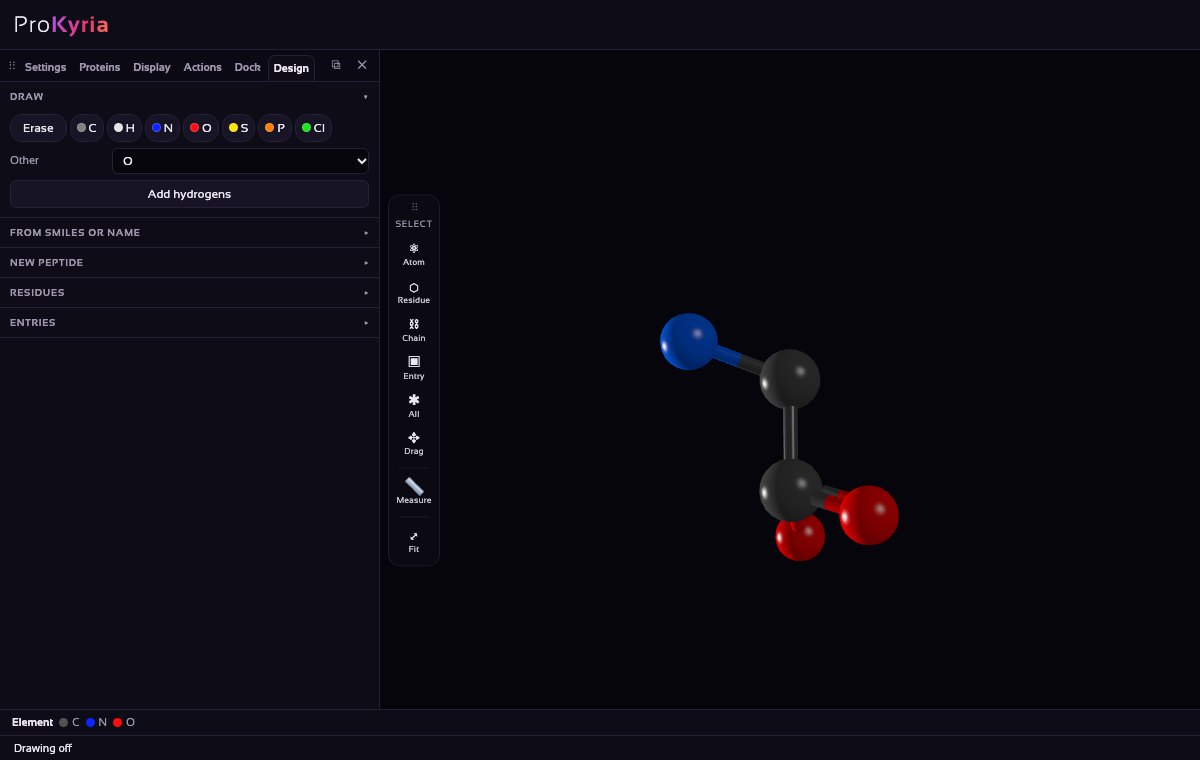
You never have to place an atom precisely. Each new atom goes where chemistry puts it: 1.47 Å from the carbon for C–N, at a tetrahedral angle to the bonds already there, in the direction with the most room. When you make a bond double, its end atom moves in to the double bond's length (1.24 Å for C=O).
3. Add the hydrogens
Press Add hydrogens. Every atom is filled up to its normal valence: two hydrogens on the α carbon, two on the nitrogen and one on the oxygen. That's neutral glycine, NH2–CH2–COOH.
ProKyria won't let an atom go past its valence. A carbon takes four bonds, a nitrogen three, an oxygen two and a hydrogen one. If you click a carbon that is already full, the new atom replaces one of its hydrogens; if there's no hydrogen to replace, the status bar says why nothing happened.
4. Make the zwitterion
In water and in crystals, amino acids carry two charges: the amino group picks up a proton and the carboxyl group loses one. You don't set the charges yourself; they follow from the bonds. Choose hydrogen and click the nitrogen. It now has four bonds, which makes it N+, and a + appears beside it. Then choose Erase and click the hydrogen on the carboxyl oxygen. That oxygen is left with one bond, which makes it O−.
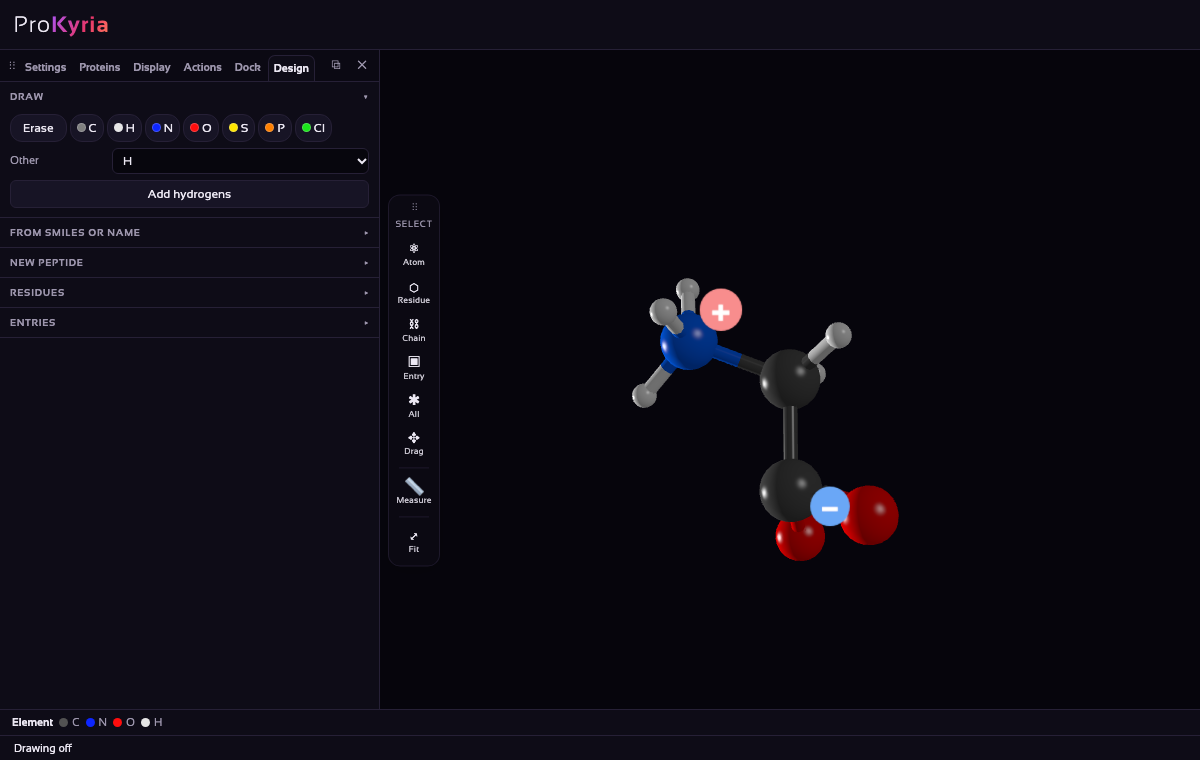
The same rules apply everywhere. An oxygen with three bonds is O+, a boron with four is B−, and a sulfur with three is S+. Carbon is the exception: a carbon with three bonds could be a carbocation, a carbanion or a radical, so it stays neutral. Charges are saved with the molecule, and written to exported PDB and mmCIF files.
5. Colour it by charge
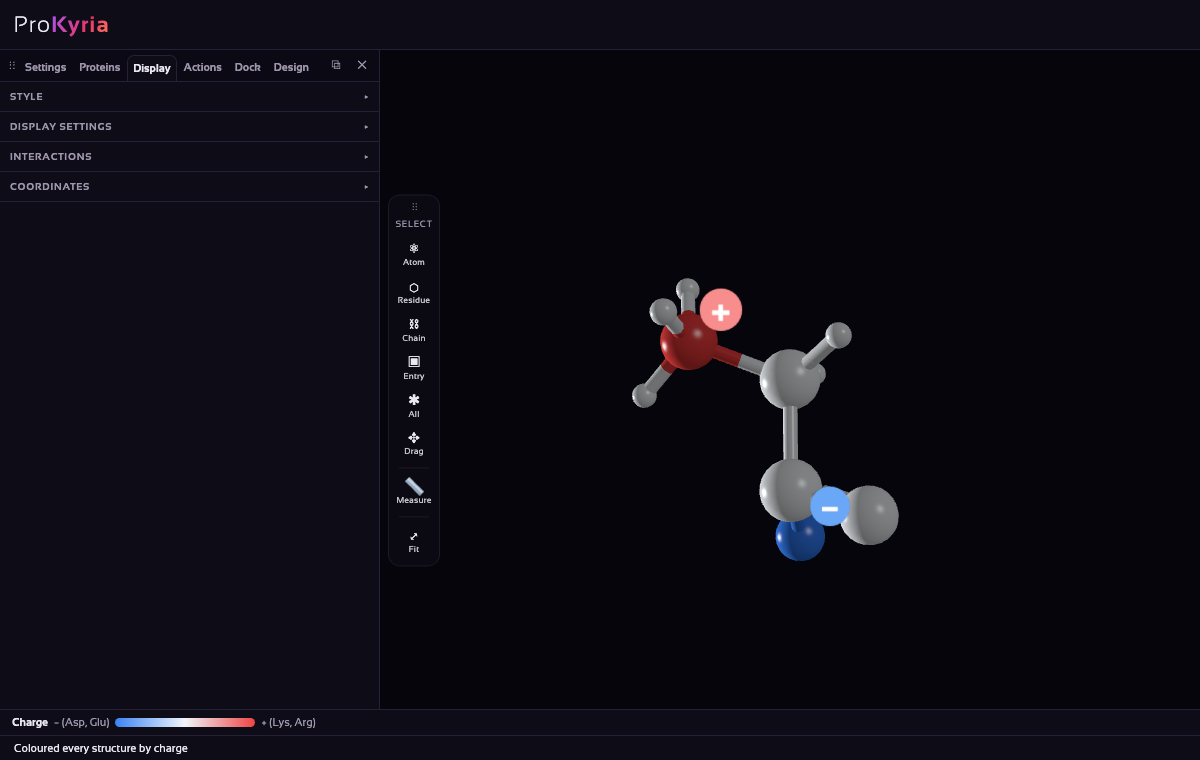
Press Esc to stop drawing. Choose Entry on the tool wand's Select buttons and click the molecule. In Display › Style, colour by Charge: the N+ turns red and the O− blue, while the neutral atoms stay pale. This is how a zwitterion looks to its surroundings: a positive end and a negative end, which is why amino acids dissolve so well in water.
Choose Spacefill to see the molecule's real size, then go back to Ball & Stick and colour by Element to see its atoms again.
Closing a ring
Atoms bond by themselves when they come within bonding distance, which is the sum of their covalent radii plus 0.45 Å. To close a ring, draw the chain, then place the last atom between its two ends: it bonds to both. Clicking in empty space close to an atom that can still bond also snaps the new atom onto it at the right bond length.
What next
- Dock your molecule into a protein's binding pocket.
- Read how ProKyria places atoms and decides bonds.
- Build a peptide from a sequence in the same tab, under New peptide.